6 Easy Ways To Ask For Reviews (And Get Them Fast)
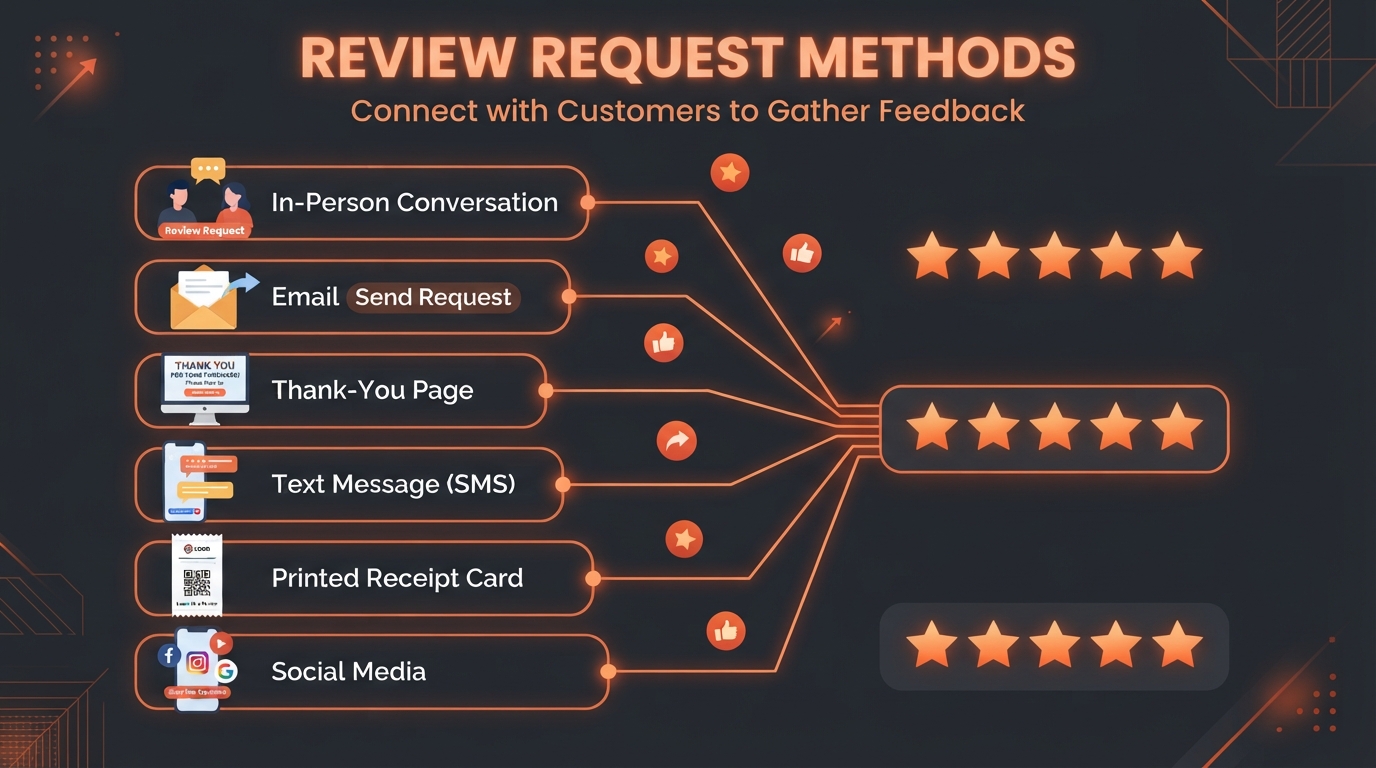
Updated August 19, 2026 — Review acquisition strategies remain as important as ever. We've refreshed tool references and updated statistics.
I hope you're not sick of me talking about online reviews, because I'm about to do it again. Why? Because they can have a huge impact on your business and bottom line.
91% of consumers between the ages of 19 and 34 trust reviews, and consumers are more likely to trust your company if you have at least 40 reviews. If you don't already have a solid review presence, it's time to get serious about building one.
The great news is that 68% of customers who are asked to leave a review are willing to do so. Here's how to ask them.
Asking For Reviews In Person
If you've got a brick-and-mortar store, then asking for reviews in person may be the way to go. The trick is doing it in a way that doesn't feel forced or put undue pressure on your customer.
Conversational flow is important. One option is to have your cashier(s) engage with customers when they check out. They can start by asking if the customer found everything they were looking for. Any customer who praises your store or products represents a positive review.
That said, it's not a good idea to ask for a review as soon as the customer says something positive. Ask a few follow-up questions. Then, as you end the conversation, say something like "We really appreciate feedback from our customers because it helps people learn about us. Would you be willing to write an online review?" You can plug in your platform of choice, whether it's Google or Facebook.
Asking For Reviews Via Email
Perhaps your business doesn't have a lot of face-to-face interaction with customers. In that case, sending an email may be the right way to ask for reviews.
My recommendation is to segment your list and send out staggered emails accordingly. Getting too many reviews all at once may not be helpful, since there's evidence to suggest that Google may flag a massive influx of reviews as suspicious.
However, if you are asking people to leave reviews on your Google Business Profile, you may link directly to your review page.
Asking For Reviews On A Thank You Page
Does your business have an online store where customers can buy products? If so, you may want to use your Thank You page to ask customers for a review.
It's important to remember that first-time customers aren't going to be able to review your products if they've just ordered them. However, they can review their experience on your site, and they may be able to offer insights on your customer service if they've interacted with you.
Of course, some customers who land on your Thank You page will be buying a product for the second or third time. That's why it's important to ask because those people will be primed to leave you a review. If you don't have a Thank You page, you can also ask for a review on a confirmation page or in a confirmation email.
Asking For Reviews In A Text Message
Text messaging has become an increasingly popular form of marketing, and you can use it to ask for reviews too.
Text messages have nearly a 100% open rate. If you're already sending text messages to your customers, then following up a purchase with a request for a review can be a great way to generate more reviews.
Since it's a text message, it should be brief. You can try something like this:
We hope you're happy with your purchase. Please leave a review on Google and let us know how we did!
Asking For Reviews On A Receipt Or Card
Not everybody is comfortable asking for a review in person. Whether you have a brick-and-mortar store or you're shipping products to customers at home, including a card or a note on your receipt can encourage them to leave a review of your business.
You can use a tool like Canva to create and print message cards that ask customers for reviews. You can even put the URLs of your review pages to make it easy for customers to find them.
If you own a restaurant, another option is to give your patrons a comment card when you deliver their bill. While they're not the same as a review on Google, you can aggregate the comments and feature the ratings on your website.
Receipts are another option. You can program your receipts to include a brief message at the bottom asking customers to write reviews.
Asking For Reviews On Social Media
Finally, you may want to ask your social media followers to review your business. Facebook reviews are important for local businesses since many people use Facebook to search for businesses near them. You have the option of asking for reviews in a Facebook post or using a chatbot in Facebook Messenger to ask.
Keep in mind that you'll still need to be careful about linking out to review sites from social media. You may link directly to your Google Business Profile review page.
If you decide to use a chatbot, you may want to consider setting up a survey directly within the chatbot if you want to collect reviews to post on your site. Otherwise, you can simply ask people to leave a review elsewhere.
One final note about reviews. While it might sound odd, customers are more likely to trust businesses that have some negative reviews. It's not realistic for any company to get 5-star reviews across the board. That said, you should respond to negative reviews immediately and do your best to make the customers who leave them happy.
Improving your online review system for your business needn't be daunting. In fact, it's entirely possible to automate the whole process: have your online reviews streamed directly to your social media accounts; catch negative feedback right away so you can respond immediately to make your customer happy; and watch your ratings soar! Ask us how!
FAQ
How many reviews does my business need?
Aim for at least 40 reviews on your Google Business Profile. Consumers are more likely to trust businesses with 40+ reviews. However, quality matters too — a steady stream of recent reviews signals an active, trusted business. Focus on getting 2-5 new reviews per month consistently.
Is it against Google's policy to ask for reviews?
No, asking for reviews is perfectly acceptable. Google's policy prohibits paying for reviews or offering incentives in exchange for reviews. You can ask customers to leave honest reviews, send follow-up emails with review links, and display QR codes that link to your review page.
Should I respond to negative reviews?
Yes, always. Respond to negative reviews promptly, professionally, and empathetically. Acknowledge the issue, apologize for the experience, and offer to resolve it offline. This shows potential customers that you care about satisfaction, not just positive feedback.
What's the best time to ask for a review?
Ask for a review when the customer is happiest — immediately after a successful purchase, service completion, or positive interaction. For products, wait 1-2 weeks after delivery so the customer has time to form an opinion. Use automated email or text sequences to time requests perfectly.

Duct Tape Marketing Master Certified Consultant & AI Search Expert.
View Ian's Expert Profile & Credentials →